
How do I apply a discount code?Updated 21 days ago
You can apply your discount or promo code during checkout. Just follow these simple steps:
Add the items you wish to purchase to your cart.
- Proceed to the Checkout page.
- In the "ENTER PROMO CODE" section, enter your discount code.
- Click "Apply" to see the discount reflected in your total.
📸 Example below: 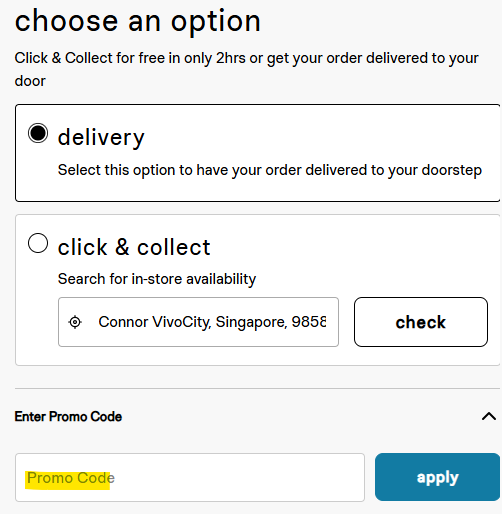 💡 Tip: Make sure the code is entered exactly as provided—discounts are case-sensitive and may have usage limits or expiration dates.
Still need help? Contact our support team here.